Free Wedding Photo Booth Online | Create Custom Strips
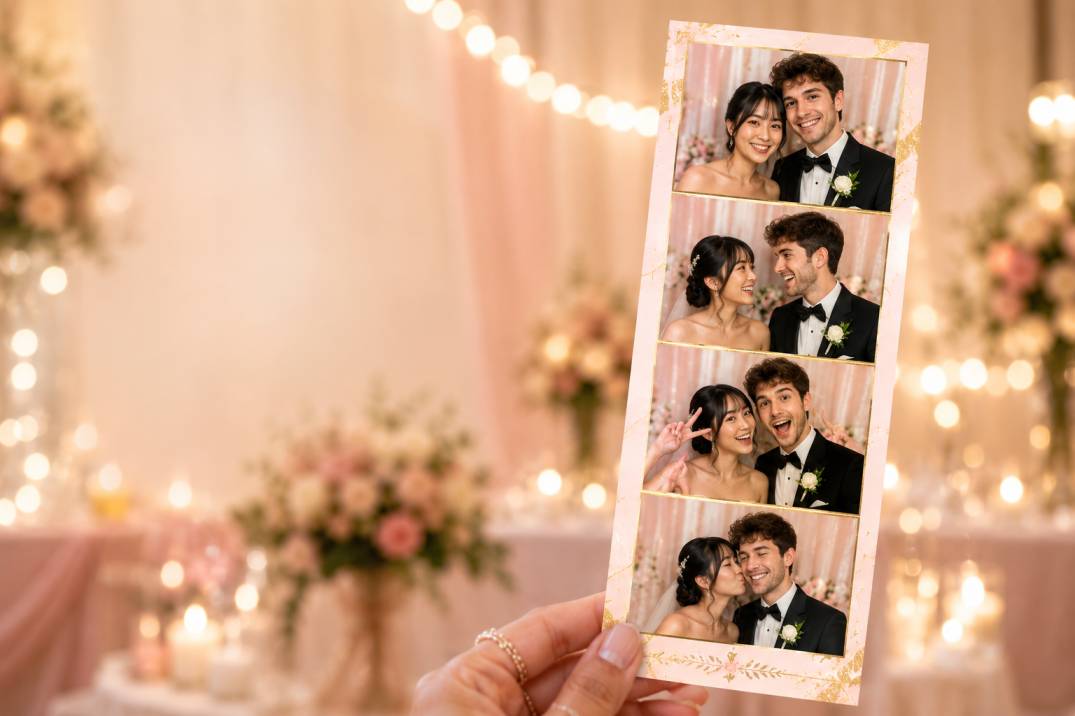
Design a photo booth in your wedding colors, share it with a QR code, and let every guest take unlimited photo strips on their own phone — no rental, no app, no signup.
Why couples are skipping the photo booth rental
A traditional photo booth rental for a wedding typically runs $400–$1,500 depending on your city and hours booked, plus setup time and an attendant. A free online wedding photo booth gives you the same shareable, on-brand photo strips — sized and styled to match your wedding — without the line-up, the delivery fee, or the deposit.
Because guests open the booth on their own phones instead of queuing at one kiosk, there's no bottleneck during cocktail hour or the reception. Every table can be taking photos at the same time, and everyone leaves with their own copy instantly instead of waiting on a shared gallery link days later.
How it works
1. Design your strip. Pick a 2-shot or 4-shot layout and customize the frame color, texture, and filters to match your wedding palette. Add your names, wedding date, or a monogram.
2. Get your link and QR code. Once you're happy with the design, the booth generates a shareable link and a printable QR code — no account required.
3. Place the QR code where guests will see it. Print it onto table cards, a welcome sign, or your reception seating chart.
4. Guests scan, shoot, and download. Anyone can scan the code with their phone camera, take their photo strip right in the browser, and save it instantly — no app, no waiting.
Customization ideas for your wedding strip
Couples typically personalize a few key details before sharing their booth with guests:
• Frame colors that match your wedding palette or bridal party colors
• A monogram, initials, or "Mr. & Mrs." text on the frame
• The wedding date stamped on every strip
• Soft, flattering filters for evening or low-light reception lighting
• A themed frame for the rehearsal dinner or after-party that's different from the main reception design
Where to use it during the wedding
Most couples set up their online photo booth at one or more of these moments: the cocktail hour, so guests have something to do while the wedding party takes formal photos; the reception tables, as a running activity throughout the night; a dedicated "guest book" station, where printed strips get glued into a book alongside a note; or the welcome party or rehearsal dinner the night before, with a separate, more casual theme.
A digital guest book, without the line
Many couples now use photo strips in place of (or alongside) a traditional signature guest book: guests take a strip, print or download it, and either tuck it into an envelope or glue it into a book with a short message. Because there's no single kiosk to queue at, this works even for weddings with 150+ guests without anyone waiting.
Free online booth vs. a rented photo booth
Frequently asked questions
Is the wedding photo booth really free?
Yes. Designing your strip, sharing it with guests, and downloading photos is completely free, with no signup, watermark, or hidden per-guest fee.
Do guests need to download an app?
No. Guests scan a QR code with their phone camera, which opens the booth directly in their browser. There's nothing to install.
How many guests can use the photo booth at once?
Unlimited. Because each guest opens the booth on their own phone, there's no queue or single kiosk to share — everyone at every table can use it at the same time.
Can we match the photo strip to our wedding colors and theme?
Yes. You can customize the frame color, texture, filters, and add your names, wedding date, or a monogram before generating the sharable link and QR code.
Can guests print their photo strips?
Guests can download their strip as a high-resolution image directly to their phone and print it themselves, or you can set up a printer at the reception for on-the-spot prints.
Is an online photo booth private and safe to use?
Photos are captured and processed in the guest's own browser and are not uploaded to or stored on our servers, so your wedding photos stay private to the people who took them.
Does it work without venue Wi-Fi?
Guests need a brief internet connection (Wi-Fi or mobile data) to load the booth the first time, but capturing and downloading photos afterward works even on a weak signal since nothing uploads to a server.
Related pages
• Create a free photo booth — the full tool for any event
• Step-by-step guide to building your own photo booth online
• Browse photo booth themes for more frame and style ideas